Have any question?
Call (240) 226-7055

Call (240) 226-7055


Printing is one of those creeping, silent expenses that many business owners accept as an inevitable cost of doing business. Uncontrolled printing habits, inefficient desktop hardware, and unmanaged print queues silently drain thousands of dollars from your operating budget every single year.
Fortunately, you do not need to micromanage your staff to get these costs under control. You simply need to align your office technology so that the most cost-effective choice is also the easiest one for your team.

Many organizations continue running legacy software versions long past their official manufacturer support dates because the applications still execute basic daily tasks. That said, operating unpatched systems introduces severe security vulnerabilities that automated malware scans actively target.
Failing to modernize your business’ software leaves your corporate data exposed to unauthorized access and system-wide failure. Let’s talk about how to shore up these vulnerabilities.
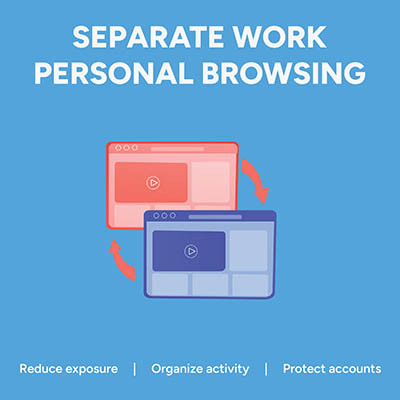
Picture this: an employee is logged into their personal Google or Microsoft account to check a personal email. In the very next tab, they open your company's cloud dashboard to edit a sensitive spreadsheet. It feels completely harmless, but in reality, that single overlapping browser session is a quiet source of data leaks, compliance headaches, and constant calls to your IT help desk.
That’s because if personal identities and corporate cloud accounts mingle in the same browser instance, the browser gets confused. It attempts to sync saved passwords, autofill data, browsing history, and extension permissions across both environments.
The fix is simple… enforce dedicated browser profiles for your entire team.

Navigating a cyber insurance policy renewal used to involve answering a few straightforward questions about your basic antivirus software. Today, insurance underwriters require detailed evidence of comprehensive security controls before they will even consider approving your coverage.

Managing hundreds of business accounts with complex, frequently changed passwords no longer protects your organization. In fact, forcing arbitrary symbol substitutions and constant resets creates predictable patterns that hackers easily exploit. Modern security relies on practical, long-term rules that safeguard data without slowing down daily work.

Moving your company files into cloud storage like Microsoft OneDrive or Google Drive is a huge milestone, but without basic folder rules, it quickly turns into digital chaos. Searching for misplaced files drains hours of staff productivity. Simple file rules fix that fast.

When cybercriminals try to break into a business, they rarely bother picking digital locks. Instead, they send a convincing email straight to someone on your staff. Treating your team like a security liability creates fear and keeps people from reporting suspicious activity.

Every single day, your employees log into dozens of apps just to get their work done. When security policies demand a brand-new complex password for every single account, password fatigue sets in fast. People start taking dangerous shortcuts, leaving your entire business exposed to modern cyberattacks.

For most professionals, the workday feels like a relentless cycle: clear three emails, get five more. The true productivity killer isn't just the sheer volume of mail; it’s the friction of how we handle it.
Every time you reach for your mouse to hunt for a reply button, click through folder hierarchies, or switch back and forth to check your calendar, you introduce friction. Those small micro-actions compound into massive time-sinks across your workday.

When your technology isn’t pulling its weight, your team ends up working twice as hard just to maintain normal output. We all recognize the obvious disruptions, but the quiet, constant tech delays hiding inside your daily routine often inflict far greater damage on your business.
Let’s review some of these delays… and how we can help you resolve them.

There is one critical phrase every business should always have on its radar: End-of-Life (EOL). A prime example of this lifecycle transition is currently underway: Microsoft Publisher is reaching its official End-of-Life in October 2026.
If your team uses Publisher to draft flyers, internal newsletters, or promotional templates, October 2026 might feel like a distant milestone. However, letting an EOL deadline sneak up on you is a fast track to unexpected operational downtime, lost data, and costly last-minute scrambles.

When most business owners read about technology today, it feels less like helpful assistance and more like a high-budget science fiction movie. Modern tech marketing routinely works to convince you that your organization is falling behind, pressuring you to spend money on flashy, overcomplicated systems you do not actually need.
We believe it is time to cut through the noise for businesses. Your staff and clients do not get excited about raw technical specifications—they care about capabilities. Technology is not meant to replace your team or complicate their lives; it exists to empower them and refine the systems you already own.

Whether you are a business owner or an office professional managing daily operations, you likely interact with dozens of different online accounts just to complete your workweek. Nevertheless, cybersecurity standards demand that every single account features a completely unique, highly complex passphrase.
What actually happens? Most people end up playing a frustrating game of "password roulette"—trying their standard password, then adding an exclamation point, and finally trying their pet’s birthday. Before you know it, you are locked out of a critical application and clicking "Forgot Password" for the third time in a single week. It wastes valuable time, creates frustration, and leads to dangerous habits like writing down credentials on sticky notes affixed to monitors. Fortunately, achieving robust security doesn't have to be a headache.

A sudden technology failure can halt your daily operations without warning. When a central network appliance drops its connection, or an employee workstation stops responding, your entire business experiences an immediate slowdown. Orders cannot be filled, invoices cannot be issued, and client inquiries remain unanswered. For a small business, these unexpected halts do not just create temporary frustration. They stall your financial growth and force your management team into an expensive, stressful scramble to restore basic connectivity.

Unmanaged wiring creates physical safety hazards, increases setup errors, and leads to costly downtime during hardware troubleshooting. Disorganized cabling hampers daily operational efficiency and presents an unprofessional environment for employees and visiting clients. Let’s talk about how a more structured strategy helps your business instead.

When your team is trying to get things done, they will usually take the path of least resistance. Sometimes, that means bringing outside tools into your daily workflow without asking permission first.

If you manage a business, you probably have a list of baseline security measures you check off regularly. You have firewalls, you use antivirus software, and you require your team to use strong passwords.
If those are the only lines of defense you rely on, however, you are missing the single most critical layer of data security available to your organization.
We need to talk about encryption. It is not just for global financial institutions or government agencies anymore. It is a fundamental operational requirement for every business.

We have all used spreadsheets to track ongoing projects, daily to-do lists, or department inventory. That said, manually typing "Yes," "No," or highlighting cells in green to mark that a task is finished gets cluttered fast.
Adding interactive checkboxes to your sheets instead gives you an instant, visual way to keep your workload organized.

Microsoft is officially pulling the plug on Publisher on October 13, 2026. This “End of Life” event officially marks the end of support for the long-running desktop publisher.
If your team relies on Microsoft Publisher to create flyers, brochures, or newsletters, this retirement will impact your business. Understanding what this change means—and taking a few proactive steps today—will keep your network secure and prevent your design files from becoming inaccessible.

When a small business starts out, file sharing usually happens organically through email attachments, personal cloud drives, and quick chat links. While that gets work done in the beginning, scaling a business on unmanaged file habits creates serious operational snarls and major security vulnerabilities down the line.
Our network audit will reveal hidden problems, security vulnerabilities, and other issues lurking on your network.
Learn more about what C3-Solutions can do for your business.
C3-Solutions
300 Kerby Hill Rd
Fort Washington, Maryland 20744