Have any question?
Call (240) 226-7055

Call (240) 226-7055


If your monthly software bills have been creeping up as your team embraces artificial intelligence tools, you are not imagining things. Most business owners expect tech subscriptions to come with a predictable, flat rate per user. With many AI platforms, however, your actual bill is tied to a unit of measurement that very few managers fully understand: the token.
Understanding how tokens work is not just trivia for your IT department. It is essential for keeping your technology overhead predictable and making sure your AI tools deliver a positive return on investment.
Managing a single cloud platform takes work. Trying to manage a mix of public, private, and hybrid cloud environments can quickly feel like herding cats in a thunderstorm—expensive cats that charge you by the gigabyte.
Most organizations end up with a multi-cloud strategy almost by accident. You started with a private cloud to keep sensitive data under lock and key, spun up a public cloud for scalable web apps, and tied them together into a hybrid setup because it seemed like the best of both worlds. In many ways, it is. However, without proper oversight, multi-cloud platforms degenerate into a chaotic web of runaway subscription costs, security blind spots, and wasted administrative hours.
Cloud computing is simply renting space on powerful computers located in distant data centers. It gives your business incredible flexibility, but every single action your staff takes must travel back and forth across the public Internet.
Think of it like running a retail shop where every sales receipt must be mailed to a central office across the country before you can hand a customer their change. It works, but it creates unnecessary delays.

Managing local server hardware is a massive expense. Buying a new server means paying for peak capacity you rarely use and dedicating physical office space to house a noisy machine. The shift to cloud infrastructure changes that dynamic, turning unpredictable capital expenses into predictable operating costs. It is no longer just an upgrade for early adopters. It is the baseline for operational efficiency.
The immediate financial and practical return on investment from the cloud is significant, and that value keeps compounding as the technology matures.

Workplace friction rarely happens overnight. More often than not, it results from small, unchecked daily annoyances that build up over time. When team members struggle to communicate or feel their daily workflow is constantly impeded, productivity stalls and frustration takes over.
Resolving this tension requires a clear strategy to address issues early and set straightforward expectations across your organization.

When daily operations slow down and margins shrink, business owners usually look straight at payroll or marketing expenses. However, hidden software subscriptions and aging hardware are far more likely to be the silent productivity killers in your office.
Technology should remove friction from your workday, not create it. Cleaning up your technology stack is one of the fastest ways to eliminate operational bottlenecks, secure your data, and give your team hours back every single week.
When your team members are trying to hit tight deadlines, they want the path of least resistance. Often, that means saving critical files to their local desktop or a personal cloud account to avoid network latency or deep folder hierarchies.
It seems harmless on the surface. However, storing company information on local drives creates major operational risks for your business.

Most small business owners assume their company is too small to attract active hackers. In reality, cybercrime relies on automated tools scanning for open vulnerabilities rather than specific brand names. Leaving your network unsecured guarantees your systems will eventually be discovered.

An email arrives from your CEO requesting an urgent, off-schedule wire transfer to secure a vendor deal. Standard operational caution gives way to speed, and cash is redirected to an unauthorized account.
This is the result of a form of cyberattack known as business email compromise. Let’s discuss how to stop it.

Cybersecurity Awareness Month serves as a vital reminder that technical infrastructure relies heavily on human habits. A single compromised credential can expose your entire network to unauthorized access and operational downtime. Protecting company data is a shared organizational responsibility.

When remote team members deal with application freezes and dropped voice calls, daily operations suffer immediately. These disruptions stem from unoptimized home internet routing and improper VPN configurations, not poor employee performance. Fixing these network bottlenecks protects productivity and maintains business stability.

Most business owners view technology as just another utility bill to keep as low as possible. However, when sluggish hardware and broken software cost your team twenty minutes every day, you quietly lose billable hours. Neglecting your technology stack does not save money; it puts a continuous, unrecorded tax on your payroll.

Whether we are talking about smart thermostats, connected security cameras, badge readers, or sensor-equipped machinery, connected devices are everywhere. Yet, when you sit down with business owners, their opinions on IoT usually fall into one of three distinct camps. Let’s take a look at them this month.

We’ve all been there. You are staring at your screen, something isn't working right, and you hesitate to ask for help because you think your question sounds silly.
Today is Ask a Stupid Question Day, and I am here to tell you that in the world of business technology, keeping quiet is the only actual mistake you can make.

October is Cybersecurity Awareness Month, a timely reminder that protecting your organization goes far beyond updating employee passwords or training your team to spot phishing emails. True cyber resilience requires inspecting every corner of your IT ecosystem—starting with the silent liabilities already running inside your network: legacy systems.
While these aging software programs, unsupported servers, and legacy hardware tools may still handle daily tasks reliably, operating them without aggressive security controls leaves your business wide open to modern cyberthreats.

Running a business keeps you busy, making it easy for tech blind spots to quietly sneak up on your operations.
The good news? Fixing the most common technology mistakes doesn't require a massive budget—just a few simple adjustments.

Big economic shifts grab headlines, but it is usually the minor, everyday tech glitches—lost passwords, inbox scams, and clunky software—that quietly bleed a company's momentum. Resolving these recurring bottlenecks restores focus to high-impact strategy and long-term growth.

Investing in business technology support does not render a network completely immune to disruptions. Software updates alter configurations overnight, cloud vendors experience outages, and minor operational mistakes happen. Unfortunately, complete immunity from technical issues is impossible.
The good news is that proactive IT management drastically changes how and how often those disruptions affect your daily workflow.
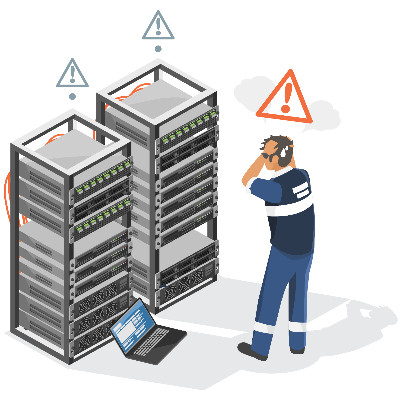
When a central server fails, daily business operations grind to an immediate halt. Most business owners take comfort in knowing a nightly backup runs in the background. However, having raw files saved on an offsite drive is only half of the equation when unexpected downtime strikes your network.

Running a business at maximum output sounds great on paper. You look at activity dashboards, measure response times, and try to extract every single percentage point of efficiency out of your daily operations.
Setting expectations to maximum capacity indefinitely creates a fragile organization. High productivity targets sound like good management, but squeezing every ounce of energy from your staff actively damages worker retention, creates artificial output, and weakens your company culture.
Our network audit will reveal hidden problems, security vulnerabilities, and other issues lurking on your network.
Learn more about what C3-Solutions can do for your business.
C3-Solutions
300 Kerby Hill Rd
Fort Washington, Maryland 20744